
In recent years, Microsoft has introduced several important changes to the shutdown and restart functions within its Windows operating systems. Although these features may appear simple, they play a critical role in maintaining system performance, stability, and security. Many users may not be aware that the behavior of these functions has evolved over time. Therefore, understanding these changes can help you use your computer more efficiently and avoid potential issues.
In this article, we will respectfully explain the key differences between shutdown and restart, the reasons behind Microsoft’s updates, and how these changes may affect your daily computer usage.
1. Understanding the Difference Between Shutdown and Restart
In the past, shutting down a computer meant completely turning off the system, while restarting referred to turning it off and immediately turning it back on. However, modern Windows systems have modified this behavior, particularly with the introduction of the “Fast Startup” feature.
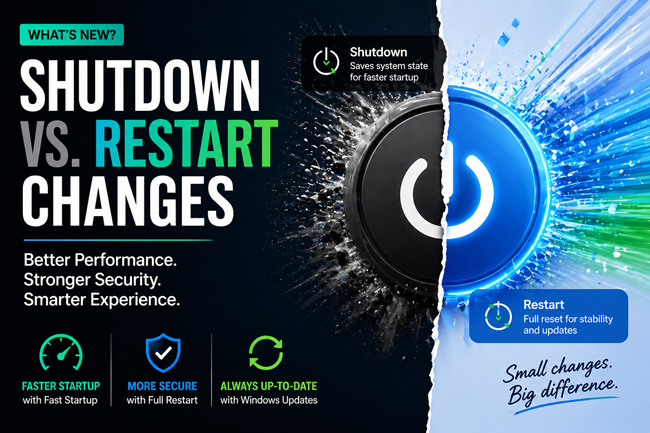
When Fast Startup is enabled, shutting down your computer does not fully close all system processes. Instead, a portion of the system state is saved, allowing the computer to start more quickly the next time it is powered on. This method improves boot speed, but it does not completely reset the system.
In contrast, restarting your computer performs a full shutdown followed by a fresh boot. This process clears temporary data, resets system processes, and ensures that updates and changes are properly applied. For this reason, restarting is generally more effective when resolving system issues or completing updates.
We kindly recommend that users recognize this distinction, as using the appropriate function can significantly impact system performance and reliability.
2. Reasons Behind Microsoft’s Changes
Microsoft’s adjustments to shutdown and restart behavior are primarily aimed at enhancing performance, improving security, and providing a better user experience. As operating systems become more advanced, regular updates are essential to maintain functionality and protect against security threats.
One of the key motivations for these changes is to reduce startup time. The Fast Startup feature allows users to access their systems more quickly, which can be especially convenient in daily use. However, this approach does not fully refresh the system, which may occasionally lead to minor issues.
Another important factor is the update process. Many Windows updates require a full restart to be properly installed. If a user repeatedly shuts down the system without restarting, certain updates may remain incomplete. This could potentially result in reduced performance or unresolved vulnerabilities.
From a security perspective, restarting plays a vital role. It clears memory, stops all running processes, and resets the system environment. This helps ensure that any temporary errors or unwanted processes are removed.
Microsoft has also implemented features such as scheduled restarts and update reminders. These are designed to encourage users to restart their systems at appropriate times while minimizing inconvenience.
3. Practical Impact on Users and Best Practices
For users, these changes mean that shutdown and restart should be used thoughtfully depending on the situation. While shutting down remains useful when you wish to turn off your device, restarting is often the preferred option when addressing technical issues or after installing updates.
For example, if your computer is running slowly or experiencing unexpected behavior, performing a restart can often resolve the issue. This is because the system is fully refreshed during the restart process.
Although Fast Startup can be beneficial for faster boot times, it may occasionally cause compatibility issues with certain drivers or system components. In such cases, users may consider disabling this feature through the power settings to ensure a complete shutdown.
In professional or organizational environments, regular restarts are particularly important. They help maintain system stability, ensure updates are properly applied, and reduce the likelihood of technical problems. Many IT professionals recommend periodic restarts as part of routine system maintenance.
Overall, Microsoft’s shutdown and restart changes are intended to provide a balanced approach between convenience and system reliability. By understanding how these functions operate, users can make more informed decisions and improve their overall computing experience.
Conclusion
Microsoft’s updates to shutdown and restart functions reflect a thoughtful effort to enhance modern computing environments. While the shutdown process now focuses on speed and convenience, restarting remains essential for maintaining system health and security.
We encourage users to become familiar with these differences and apply them appropriately in daily use. Even small choices, such as selecting restart instead of shutdown when necessary, can have a meaningful impact on system performance.
By understanding and applying these principles, you will be better equipped to manage your device effectively and enjoy a more stable and efficient computing experience.